
Text with Image3
本邦初公開!!
画像付き文章の画像を切り抜く(clip)するためのハウツーです。
様々な形に切り抜くことが可能なのですが今回はMDNのサイトを参考にして『丸』と『ひし形』を取り上げます。
ここでは同じように見えていますが、実際には、アップロードする画像の縦横比によって、形状は異なります。
面白味はありますが、画像の形を揃えたいのであれば、同じ縦横比の画像を利用することをお勧めします。
参考サイト:MDN Web Docs
メリット
- 拡大した時も、形状が変わらない。
- SVG(ベクター)の考え方なのでジャギ(ギザギザ)が出ない。
- 画像編集ソフトなどを使用しないため、手間がかからない。
- CSSで指定するのでレンダリング速度(表示)が非常に軽い(早い)。
ひし形に切り抜く

SPECIAL COFFEE
We offer special coffee roasted in-house. Enjoy the unique taste and aroma.
<style>
.j-textWithImage img{
clip-path: polygon(50% 0, 100% 50%, 50% 100%, 0 50%);
}
</style>
円形に切り抜く
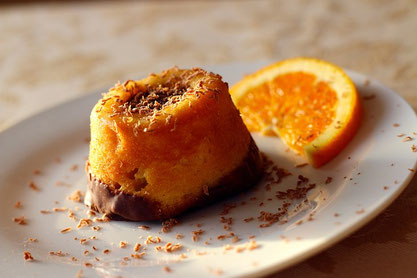
SWEETS
Our sweets are made by a pastry chef who trained at a top-class restaurant in France to make sweets that go well with coffee.
<style>
.j-textWithImage img{
clip-path: circle(50%);
}
</style>
CSS
設置個所:管理メニュー > 基本設定 > ヘッダー編集 > 各ページ (JIMDO有料バージョン)
Location:Menu>Setting>Edit Head > PAGES(Paid version)

Pursue what you can't do with Jimdo
Jimdo Laboratory
1-14-4 Nuahioi Shinagawa-ku,Tokyo